Is Your Hotel's robots.txt Blocking AI Recommendations?
On 6 May 2026, Wyndham launched a native ChatGPT app. A traveller can now describe a trip inside ChatGPT, see Wyndham properties, and get handed to the hotel's own site to finish the booking. Wyndham franchises more than 8,000 hotels. It is not an outlier this month: Tripadvisor and Viator went live inside Anthropic's Claude in late April.
Every one of those funnels depends on the same thing. The AI has to be able to read the hotel's website. A short file called robots.txt decides whether it can, and at most hotels we look at, nobody has opened it since the site launched.
What robots.txt is, and why it stopped being an IT setting
robots.txt is a plain text file that lives at one fixed address: your domain followed by /robots.txt. It tells automated visitors which parts of the site they are allowed to read. For about fifteen years it was a Google concern. You let Googlebot in, you kept it out of the admin pages, and the marketing team never thought about it again.
That changed when AI assistants started answering travel questions from the live web instead of memory. ChatGPT, Perplexity, Claude and Google's AI answers now send their own crawlers to read hotel websites, and robots.txt is the first thing every one of them checks. It is no longer an IT housekeeping file. It is the gate on a booking channel, and the person who owns the direct-booking number should know what it says.
The two kinds of AI crawler reading your hotel website
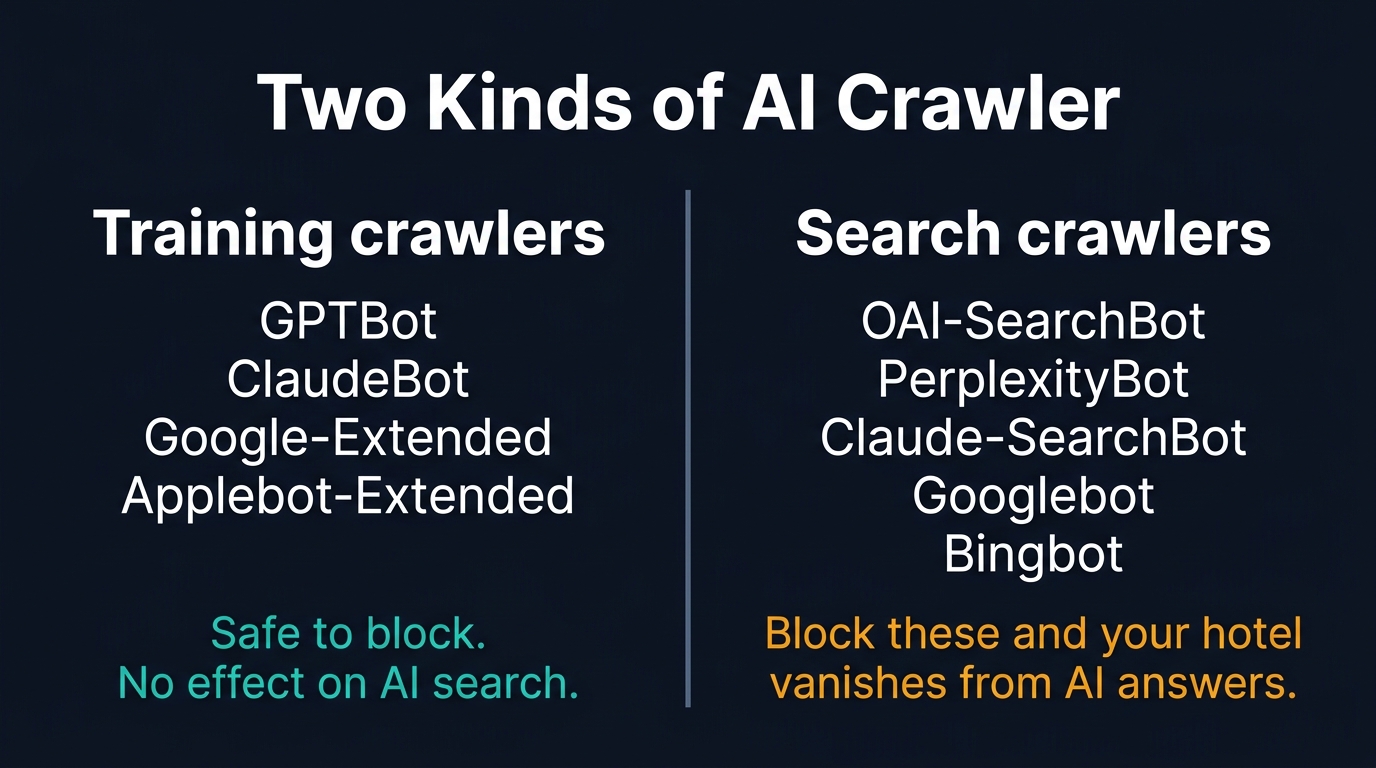
AI crawlers come in two kinds, and the difference decides whether an AI can recommend your hotel at all. A training crawler collects text to teach a model. A search crawler fetches your pages so an assistant can answer a traveller's question in the moment. Block one and you lose nothing. Block the other and AI can no longer pull your hotel into an answer.
The training crawlers are GPTBot from OpenAI, ClaudeBot from Anthropic, Google-Extended and Applebot-Extended. What they collect is built into a future version of a model, months later.
The search crawlers fetch your pages live, or keep a fresh index an assistant queries at answer-time. OAI-SearchBot powers ChatGPT's search. PerplexityBot powers Perplexity. Claude-SearchBot powers Claude's search answers. Googlebot and Bingbot sit behind Google's AI answers and Microsoft Copilot. Applebot feeds Siri and Apple Intelligence. These are the crawlers a hotel needs to keep open. The crawler names in this post are current as of May 2026, and vendors do rename them, so re-check each provider's documentation before you edit your file.
There is a third, smaller group worth knowing: user fetchers. ChatGPT-User, Perplexity-User and Claude-User fetch a single page because a guest pasted or clicked your link inside a chat. Block those and the link breaks at the moment a booking is closest.
Blocking the wrong crawler deletes your hotel from AI answers
Block a search crawler and the assistant can no longer read your own website. It may still mention your hotel, but it now works from whatever the OTAs, review sites and old travel blogs say instead, which is how a property ends up recommended with the wrong rate, the wrong amenities, or skipped for a competitor the assistant can actually read. HotelRank put it cleanly in its 2026 study of hotel robots.txt files: blocking OAI-SearchBot is the new noindex.
Blocking a training crawler does no such damage. OpenAI, Anthropic, Google and Apple all confirm in their own documentation that you can allow the search crawler and block the training one. A hotel that blocks GPTBot is still fully eligible to appear in a ChatGPT search answer. The cost of blocking lands entirely on the search-crawler side.
Googlebot is the one with no safe version. Google's AI Overviews and AI Mode are served from the same index as ordinary search results. There is no separate AI Overviews crawler. Block Googlebot and your hotel disappears from blue links, AI Overviews and AI Mode at the same time. Google-Extended, the one Google token a hotel can safely disallow, governs only whether your content is used in Gemini and has no effect on Search or AI Overviews.
The handoff itself is worth protecting. When an AI answer names a hotel, the studies of those recommendations show it points the link straight at the hotel's own website far more often than at an OTA. A blocked search crawler forfeits that direct handoff before a traveller ever sees it.
Most hotels blocking AI never decided to
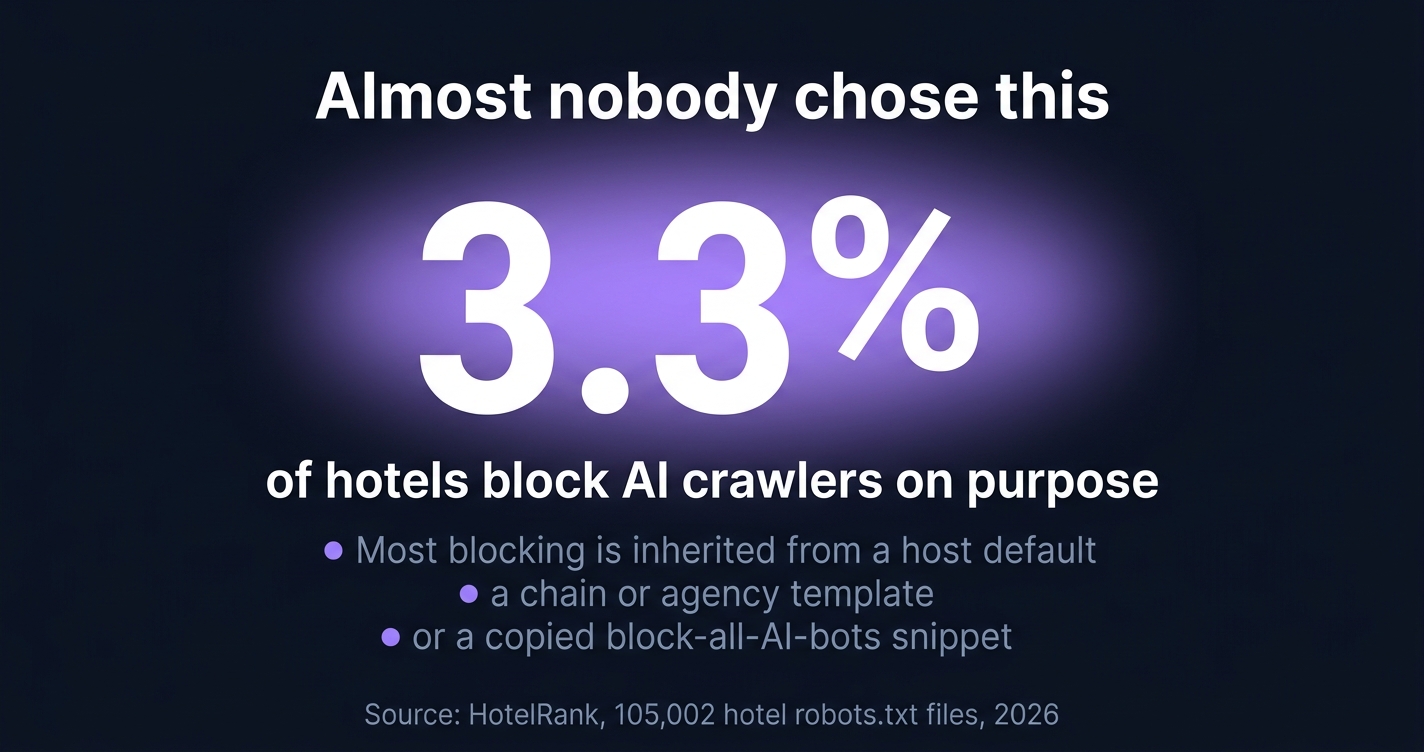
Deliberate, considered blocking is rare. HotelRank read 105,002 hotel robots.txt files across seven countries and found only 3.3% block any AI crawler at all. If the story were "hotels are choosing to shut AI out," there would not be much of a story.
The blocking that does exist was mostly never a property-level decision. In HotelRank's data, a single French cooperative, Logis Hotels, accounts for 72% of every French hotel blocking AI: one configuration set once at the centre, around 2,300 member properties carrying it, none of them asked. Blocking is something hotels inherit, not something they choose. Three routes lead there, and all three reach hotels.
Host defaults. Cloudflare, which sits in front of around a fifth of the web, began blocking AI crawlers by default on new domains in July 2025. A hotel that registered or migrated a domain since then may be blocking AI crawlers at the network edge without anyone at the property ever choosing it. Edge blocking does not appear in robots.txt either, which is why the file alone is not the full check.
Agency and template carry-over. A web agency reuses one robots.txt template across every client it builds, or a hotel adopts a site theme that ships with crawler rules baked in. The property inherits whatever the last project decided, the way Logis member hotels inherited the cooperative's config.
The copied "block all AI bots" rule. This is the common one and the costly one. An agency or a contractor finds a "block AI bots" snippet online, pastes it in, and the snippet does not separate training crawlers from search crawlers. The hotel wanted to keep its photography out of model training. It also quietly deleted itself from ChatGPT and Perplexity.
How to check your hotel's robots.txt in five minutes
Type your domain followed by /robots.txt into a browser: yourhotel.com/robots.txt. A short text file loads. Read it for any line beginning Disallow that sits under a User-agent naming an AI crawler.
What is fine to find: Disallow rules under GPTBot, ClaudeBot, Google-Extended or Applebot-Extended. Those are training crawlers. Blocking them is a defensible choice and costs you nothing in AI search.
What should stop you: Disallow: / under OAI-SearchBot, PerplexityBot, Claude-SearchBot, Bingbot or Applebot, and above all under Googlebot or User-agent: *. Any of those is removing your hotel from AI answers, ordinary search results, or both.
The file will not tell you everything, though. If your site sits behind Cloudflare or another CDN, the firewall can block AI crawlers before they ever reach robots.txt. The file can read as a clean allow-all while your hotel stays invisible, because edge blocking overrides the text file and never shows up in it. Check the bot settings in your Cloudflare dashboard too.
Check your subdomains as well, not just the homepage. Hotels usually run the booking engine on a separate subdomain, something like book.yourhotel.com, and often it belongs to a third-party provider. That subdomain serves its own robots.txt. If it blocks crawlers, an AI assistant can read your hotel's story but not your live rates and rooms, the half it needs to recommend you with a current price. If the booking engine is a vendor's product, ask them what their crawler policy is.
One caveat: robots.txt is a request, not a wall. Some scrapers ignore it, as Cloudflare showed when Perplexity was caught running undeclared crawlers in 2025. But the crawlers that decide whether you appear in ChatGPT, Google and Perplexity are compliant search bots that read the file and depend on it. For the wider audit, our five-minute hotel AI visibility check covers the rest.
What to allow, and what to block
If you want your hotel found by AI, the safe configuration is short. Allow every search crawler, allow the user fetchers, and block the training crawlers only if you have made a deliberate choice to.
Some hotels would rather their copy and photography not train the next model. That is a legitimate position, and it carries no cost to AI search visibility. Blocking the training crawlers is fine when it is a choice the hotel actually made, rather than one it inherited from a snippet.
Here is the configuration that keeps every AI assistant able to find and recommend your hotel:
# Allow AI search crawlers: they decide whether AI can recommend you
User-agent: OAI-SearchBot
User-agent: PerplexityBot
User-agent: Claude-SearchBot
User-agent: Googlebot
User-agent: Bingbot
User-agent: Applebot
Allow: /

# Allow in-chat link fetchers: they open your link when a guest clicks it
User-agent: ChatGPT-User
User-agent: Perplexity-User
User-agent: Claude-User
Allow: /

# Block model-training crawlers only if you choose to: optional, no AI-search cost
User-agent: GPTBot
User-agent: ClaudeBot
User-agent: Google-Extended
User-agent: Applebot-Extended
Disallow: /
HotelRank found only 2.1% of hotels run a split anything like this. Almost everyone else blocks nothing, blocks everything, or has never looked.
Stiplo Mystery Shop
That is the gap Stiplo Mystery Shop is built to close. Because your robots.txt cannot show you what Cloudflare or your firewall is doing at the edge, a digital mystery shop checks both. We read the file, test it against the live edge configuration, and report in plain language which AI assistants can currently reach your site and which cannot.
If you do one thing this month, open yourhotel.com/robots.txt and look for the search crawlers by name. For the part the file cannot show you, run a free digital mystery shop for one property.
Should your hotel block AI crawlers?
For search crawlers, no. For training crawlers, only if you have a specific reason. The instinct to block all of them comes from a real objection: AI crawlers take far more than they return. Cloudflare's data for the month to 18 May 2026 shows some AI crawlers fetching thousands of pages for every visitor they refer back. For a news publisher whose articles are the product, that imbalance is the whole argument for blocking, and Cloudflare now lets publishers charge AI companies per crawl because of it.
A hotel is not a publisher. Your content is not the product. The room is. When a search crawler reads your website, it is not lifting an article you needed to sell. It is checking whether it can recommend you to someone deciding where to sleep next month. Blocking it protects nothing. It just hangs up the phone.
Frequently Asked Questions
Will allowing AI crawlers slow down my website or raise my hosting bill?
In practice, no. The crawl-volume problem that worries big publishers is a function of scale: their sites run to millions of pages. A hotel website is a few dozen pages, and the load from search crawlers on a site that size is negligible. The booking visibility you gain is worth far more than the bandwidth.
I just unblocked the crawlers. How soon will my hotel show up in AI answers?
Not instantly. Search crawlers re-visit on their own schedule, so it can take days to a few weeks before your pages are re-read. You can speed it up by submitting your site through Google Search Console and Bing Webmaster Tools. Bing matters more than its search share suggests, because its index has long underpinned AI search results and still feeds Microsoft Copilot.
Does blocking a crawler affect my normal Google ranking?
It depends which token you touch. Blocking Google-Extended has no effect on Google Search or AI Overviews; it only governs whether your content is used by Gemini. Blocking Googlebot is far more serious: it removes your hotel from ordinary Google results, AI Overviews and AI Mode at once, because all of them run on the same index. A Disallow: / under Googlebot is a five-alarm problem.
Want to see how your hotel website performs?
A Snapshot checks 30 pages for commercial integrity issues in minutes.
Get a free Snapshot