The Pre-Season Hotel Website Audit: 12 Checks Before Summer
Most summer bookings are placed in spring, while travellers are choosing the trips they will take in June, July and August. By late May the booking window for the peak weeks is already running, and the hotel's website is no longer something to improve. It is something the traffic is already moving through, defects and all.
So the weeks before the season are the time to audit the website. A broken offer link found in May costs an afternoon to fix. Found in July, it has spent six weeks turning paid summer traffic into bounces.
This is a twelve-point audit a marketing team can run on its own, in about an afternoon. It is organised around the three things every guest needs from a hotel website, in order: to find the hotel, to trust what they find, and to book without friction. A failure at any one of the three stops the booking, so all three are worth checking before the demand arrives.
How to Run This
Each check below is a pass or a fail. Run them in an incognito or private browser window, so you see what a new guest sees rather than what your logged-in, cookie-loaded browser shows you. Run as many as possible on a phone, because most guests will. Grade what a guest would actually see, not what the site is meant to do.
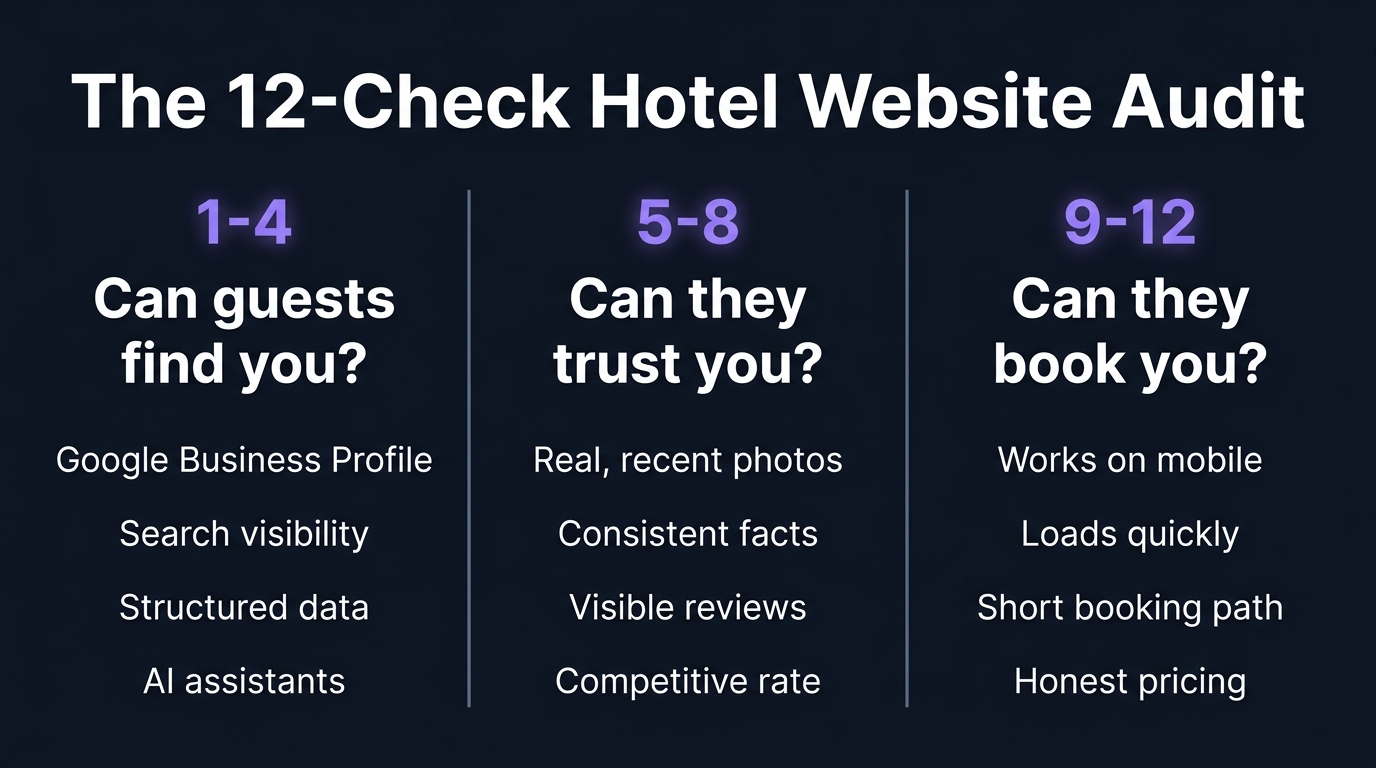
Can Guests Find You? Checks 1 to 4
The first four checks are about whether the hotel turns up where guests look: in search results, on the map, and in what an AI assistant says.
Check 1: Your Google Business Profile is complete and current. For many guests the Google Business Profile is the first page of the hotel they see, long before the website. Open it as a stranger would. The hotel-specific misses are the ones to look for: a main phone line routed to a closed wing, spa or restaurant hours from a previous season, pool open/closed dates that have moved, parking guidance that contradicts the new policy, and room photos from before the last refurbishment. Confirm the address, phone, opening hours, amenities and review replies are all current.
Check 2: You appear for your own name and location. In a private browser window, search the hotel's name, then "hotels in [your area]", then the kind of search a guest would actually type, such as "boutique hotel near [a local landmark]". Confirm the hotel appears, the listing reads correctly, the Website button still points at a current page rather than a stale campaign URL, and the OTAs are not outranking the direct site for the hotel's own brand name.
Check 3: Your pages carry structured data. Structured data is the machine-readable summary of the hotel that search engines and AI assistants rely on. A guest never sees it, but its absence limits the rich results and machine-readable detail the hotel is eligible for. Our guide to hotel schema markup covers what to add and how to check it.
Check 4: AI assistants can find and describe you. Travellers are increasingly asking ChatGPT, Gemini or Perplexity for hotel recommendations. Answers still vary by model, day and prompt, so treat this as one rough check: ask each for a recommendation in your area, see whether the hotel appears, and check the facts. Our five-minute AI visibility check is the fuller version.
Can They Trust What They Find? Checks 5 to 8
A guest who finds the hotel then spends a few seconds deciding whether it looks like a property to trust with a booking. The next four checks are about that judgement.
Check 5: The photography is accurate and current. Photos do most of the judgement work, faster than the prose. Look for stock photography, shots from before the last refurbishment, and seasonally wrong images, such as a snow-covered exterior on a hotel selling summer stays. Replace anything that is not the hotel as it looks today.
Check 6: The website, Google and the OTAs agree with each other. Check that the facts that matter, the amenities, the policies, the room types, the opening hours of the restaurant and the pool, match across the hotel's own website, its Google Business Profile and its main OTA listings. A guest who sees one thing on Booking.com and another on the direct site cannot tell which is right, and tends to go back to the comparison sites.
Check 7: Reviews are visible on the site, and recent. Guests look for reviews before booking, and they weight recent ones most heavily. Confirm the website surfaces genuine guest reviews or ratings, that the review section is current, and that one old complaint is not the most prominent thing on it.
Check 8: Your direct rate is competitive with the OTAs. Check the hotel's own rate against Booking.com and Expedia for the same dates. In 2025 the 123Compare.me World Parity Monitor found at least one OTA undercutting the hotel's own site in 75 percent of searches. A guest who finds the direct site dearer than the OTA will usually just book the cheaper OTA, and every OTA booking carries a commission of 15 to 25 percent, depending on the platform.
Can They Book Without Friction? Checks 9 to 12
A guest who has decided to trust the hotel can still be lost in the booking itself. The last four checks follow the booking the way a guest takes it.
Check 9: The whole booking works on a phone. Most guests book on a phone. Run a complete booking on one, from the homepage to the payment screen. Watch for a date picker that needs zooming, forms with no autofill, and a confirm button pushed below the fold. While you are there, check the basics of accessibility: whether the booking can be completed using the keyboard alone, and whether form fields have visible labels. Resizing the page to fit a phone is not the same as making the booking work on one.
Check 10: The site loads quickly. A slow site loses guests before it has finished rendering, and many leave rather than wait. Run the homepage and a room page through Google's free PageSpeed Insights tool, and treat a poor mobile score as a fail worth fixing before the season.
Check 11: Booking is obvious and short. The way to book should be visible without scrolling, on every page. Click a specific room and confirm that room carries through into the booking engine, rather than dropping the guest into a generic list of everything available. Count the clicks from room to confirmation, and treat every extra step as another place to lose someone.
Check 12: The price is honest from the first screen. The rate a guest sees first should be the rate they see at checkout, aside from taxes that genuinely depend on the booking. Resort fees, cleaning fees and service charges revealed only at the final step cost bookings, and they are a compliance risk too: California's Honest Pricing Law (SB 478) took effect on 1 July 2024, and the US FTC's federal pricing rule followed in May 2025.
What to Do With Your Results
Add up the fails. What matters is less the count than where they cluster.
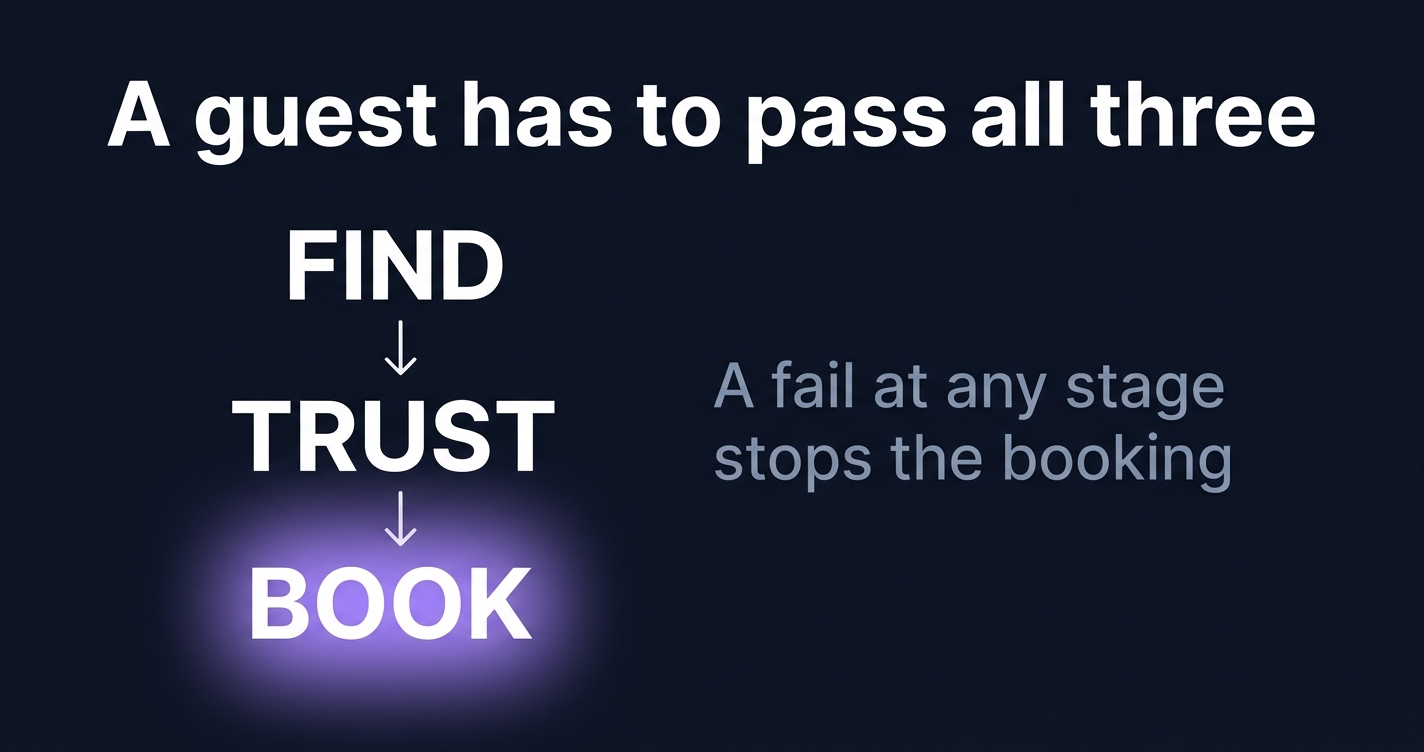
The three sections are sequential. A guest has to find the hotel, then trust it, then book it. A failure early in that order makes the later checks moot, because the guest never reaches them. So a hotel with fails spread across all three sections should fix the find problems first, then the trust problems, then the booking ones, whichever fail looks largest on its own.
Most hotel sites accumulate small problems over time, after a year or two of campaigns, seasonal updates and agency changes. Fixing them in spring means the summer traffic never meets them.
Stiplo Mystery Shop
This checklist is the manual version of Stiplo's audit. Stiplo Mystery Shop walks a hotel's website as a guest would, across all three areas this checklist covers, and reports each fail with screenshot evidence and an order to fix them in.
Running the twelve checks yourself, once, before the season is worth doing whatever else you decide. If the list turns up more than it should, or you would rather not run it by hand every quarter, run a free digital mystery shop for one property and have it done for you.
Frequently Asked Questions
What is the difference between a website audit and an SEO audit?
An SEO audit looks specifically at whether a site can be found and ranked in search. A website audit is broader. It covers finding the hotel, but also whether guests trust what they see and can book without friction. SEO is one section of the three in this checklist, not the whole picture.
Do we need a developer to run these checks?
No. All twelve are designed for a marketing team to run with no code and no special tools, in an ordinary browser and on a phone. The only tool named is Google's free PageSpeed Insights. Fixing some of the fails may need a developer or the website agency, but finding them does not.
How long does the audit take?
About an afternoon for one property, run honestly. Twelve checks, each a few minutes, plus the time to note what failed and why. Multi-property groups should run it per property, because most of the fails, the photography, the rates, the Google profile, are specific to each hotel.
What if we find a lot of problems?
That is the normal result for a site that has run for a year or two without a guest's-eye review, not a sign of a bad website. Fix the fails in the order a guest meets them: find, then trust, then book. The value of the audit is that it found the problems in spring, rather letting the summer traffic find them first.
Want to see how your hotel website performs?
A Snapshot checks 30 pages for commercial integrity issues in minutes.
Get a free Snapshot